Jun 18, 2011

A better working comment system for blogger

Today , as I was customizing my template again , I thought I'll search for a new comment system. I've dropped to http://allblogtools.com , and gave an answer to my question right away , unfortunately the service they was offering has the blogger feature disabled. Which means it doesn't work. I usually don't give up so easily , so I searched more , in-deep while still without any success , I saw this "disqus" back-link on some WordPress blog , and so I went to http://www.disqus.com

I was simply AMAZED of how easy is to setup a comment system for your blogger blog. Practically it's just 2-3 clicks. Let me introduce you to it , with a few images:

DISQUS homepage
The first step is easy , just click the SIGN UP button , obviously , it's a pretty big green button. If you want to find out more about disqus , just press the "learn more" although that's irrelevant for now.

3 easy steps
The following pages , are just 3 easy steps to setup your website. Enter your website URL , a short name , basically create an account , and done. You don't even have to activate your account via e-mail. The installation for blogger is as easy as pressing 1 button , and confirming via blogger (will automatically switch to it) , and that's it. Now go to your blogger homepage , and see your comments.

Requirements : These are described on their homepage too , but I'll remind you again , or show you before you go there. So , make sure your blogger uses blogger layouts. What are blogger layouts? All new templates , including custom ones , have layouts. Old , or classic tempaltes , does not have layouts , but you can always press the "Upgrade Template" button , bellow your "Edit HTML" form. Also make sure your comments are set to "Anyone".

Not sure , if existing comments will be converted for your new system , but new comments since installation will work fine.

LIVE DEMO -> Bellow , try leaving a comment as anonymous , or sign in to facebook or any other social service.

Jun 17, 2011

Friends Forever Blogger Template

I kinda hurried with this one , therefore I totally forgot to remove the Blogger Navbar , but you can do it yourself by following this tutorial : http://www.dreamon.tk/2010/11/remove-blogger-navbar.html

Screenshot:
Click To Zoom
Features: Full Crossbrowser compatibility , 2 columns , gadget spaces.
Images are hosted in imageshack.
Overall : I know its not the best theme out there , but I saw worse ones being sold for 20$ , so worth a try.

Demo: http://friends-dreamon.blogspot.com


How to customize my templates with cool stuff


The templates I made , are simple , and easy to use , however they lack SUPER cool stuff like "read more" button , related posts , and such. Those are very , very easy to add. Because I didn't wanted to ruin the template by adding them myself , I will teach you how to do it for yourself. This is because not all users want a related post on their blog , either a "read more" button , so tastes differ.

1. Adding jump break functionality to the template.
Login to your blogger account , go to "Design" , then "Edit HTML" and then find the following :
<data:post.body/>
And after , add this :
<b:if cond='data:post.hasJumpLink'>
<div class='jump-link'>
<a expr:href='data:post.url + "#more"'><data:post.jumpText/></a>
</div>
</b:if >
How to use?
Simply start posting , make sure you use the new blogger editor , which has a lot of new features , including the jump break button... see image below:
Wherever you want the "read more" button to appear , press the "Jump Break" button , which will tell the blog , which part of your post to hide , and which part to show as "summary".

2. Adding "Related Posts"
Adding "Related Posts" is not a big secret , if you use a Classic Blogger template , but for Custom templates , you have to do the following:
Go to http://linkwithin.com  , fill the form on your right , but for the platform do not choose blogger , choose "Other" , then click Get Widget , you will be dropped in a page called "Install Widget on Other Platforms" and , you will see the code there. In the code you will see something like this : 
var link_within_site_id = 45652;
You will have to copy the ID and after that go to your blogger , Design >> Edit HTML >> make sure your "Expand Widget Templates" is checked , and find the following line :
 

<div class='post-footer'>
 or similar , you MUST find post-footer , once you found it , just before it paste the following code :

<b:if cond='data:blog.pageType == "item"'>
<script>
var linkwithin_site_id = YOUR_SITE_ID;
(function () {
var elem = document.createElement('script');
elem.type = 'text/javascript';
elem.src = 'http://www.linkwithin.com/widget.js?rand=' + Math.random();
document.getElementsByTagName('head')[0].appendChild(elem);
})();
</script>
<a href="http://www.linkwithin.com/"><img
src="http://www.linkwithin.com/pixel.png" alt="Blog Widget by LinkWithin"
style="border: 0" /></a>
</b:if>
 The "Your_Site_ID" is the ID code you just copied from the "LinkWithin" page. Now review your template , and see if it works or not.

MagZine Blogger Template

This template I named it GoldenBlog originally , but then the demo site was already MagZine , so I renamed it to MagZine ..you know I create the demo sites before the template.
A two column girlish blogger template , which looks pretty cool. Download and Demo avaialble. Pretty colors , 2 columns , nice logo , dynamic menubar (edit it from design , without knowing HTML) , full crossbrowser compliant.


Demo: http://magzine-dreamon.blogspot.com

Jun 16, 2011

Colorized Blogger Template

A free template by DreamOn.tk

2 columns , crossbrowser , ready to go template. To install , upload the main.xml to your blogger.


Demo : http://colorized-dreamon.blogspot.com


Jun 15, 2011

Eclipse Wallpaper For Total Lunar Eclipse

This wallpaper is exclusive for this day , so you can remember the total lunar eclipse. Store it on your pc , or post it wherever you want , its free! Have fun. Oh and it's widescreen ... 16:9 I think. Not sure though.


How to download? Simply ZOOM in , then Right Click , and Save Image As... or Save As.. , and name it as you want , and place it on your desktop or in a folder where you hold your images. Have fun.

Another way to disable surveys on locked websites.

This one is pretty simple , and it works mostly on all websites , but it has a backdraw , it will compromise your overall browsing experience on the site. It involves disabling Javascript in your browser. In Firefox just click Options , Content , then un-check the radio button called "Enable Javascript". This maneuver will help you block everything that uses Javascript on the webpage , including the survey , or other adds and annoying popups that uses javascript.


Hope this helps :)

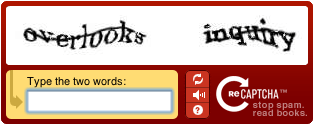
Why to avoid using reCaptcha(stop spam , read books.)

I have a newly installed phpBB3 forum , and in over 2 weeks I gained at least 60 bots , just by using reCaptcha , and while they claim its harder to guess then any CAPTCHA I am sure its easier to guess then any. The best captcha you can get is making your own. Like a question , or someone to type in something from your forum display ... that's impossible to be guessed by bots , since they don't read , they just guess. vBulletin has a nice feature implemented like that already. I just wonder when phpBB will. For now the only solution I found is to delete the bots manually daily , and to use the implemented GD CAPTCHA , instead of reCaptcha.


The bots are cunning nowadays , they can even mail confirm , guess captchas , some of them has avatars , profiles , just like any of you. Also there are paid sites who pay people to spam others forums. Such as http://www.decaptcher.com , so be very careful , and use hard to guess captchas , and hire moderators :P

7 wallpapers of popular games High Definition

If you like games , like me , and play a lot , you might want to change your desktop wallpaper to the game you like more. It's not too hard to find HD wallpapers nowadays , but not packed them and hand selected ones. Therefore I present , 7 awesome popular games wallpaper pack HD.


Assassins Creed 2
Halo , I think.
Half Life 2 - One of the best game of all times.
A trully HD wallpaper of [Prototype]
Crysis
I have no idea , but looks cool.
Star Wars
How to download them? Simply click to zoom in , then "Right" click , and select "Save Picture As.." or "Save Image As.." or "Save As.." depending on your browser , and save it to your desktop. Then "Right" click the image , and select "Set As Desktop Background".

Stay tuned for our next post ... which will contain only WIDESCREEN game wallpapers.

Jun 14, 2011

Introducing the google LIKE button. +1

Introducing the new +1 button , like on Facebook. Whenever you like someone's post , or a website , just press the little +1 button next to it , the more votes it gets , the higher it gets in Google search rankings. Of course here will be a huge battle now , and cheaters who will use proxies to click their won button , but it is a good thing as in innovation. Like Google did it for the whole web , while Facebook did just for their profiles and users. My blog used to have one too but I guess it went away when I changed the template. I shall bring it back , and hope you will press +1 on each post that you like. Thank you :)

The other cool stuff , I never seen until now , now don't blame me , maybe it was there even before , but you can upload your favicon. The "upload favicon" button is located above your "design -> Page Elements" in blogger. However mine doesn't seem to work at all , so I have to use external favicon :(.